CognixAI Workflow
Automate the work around every customer
Connect your tools, describe the process, and let AI run it: outreach, follow-ups, reports and support replies.
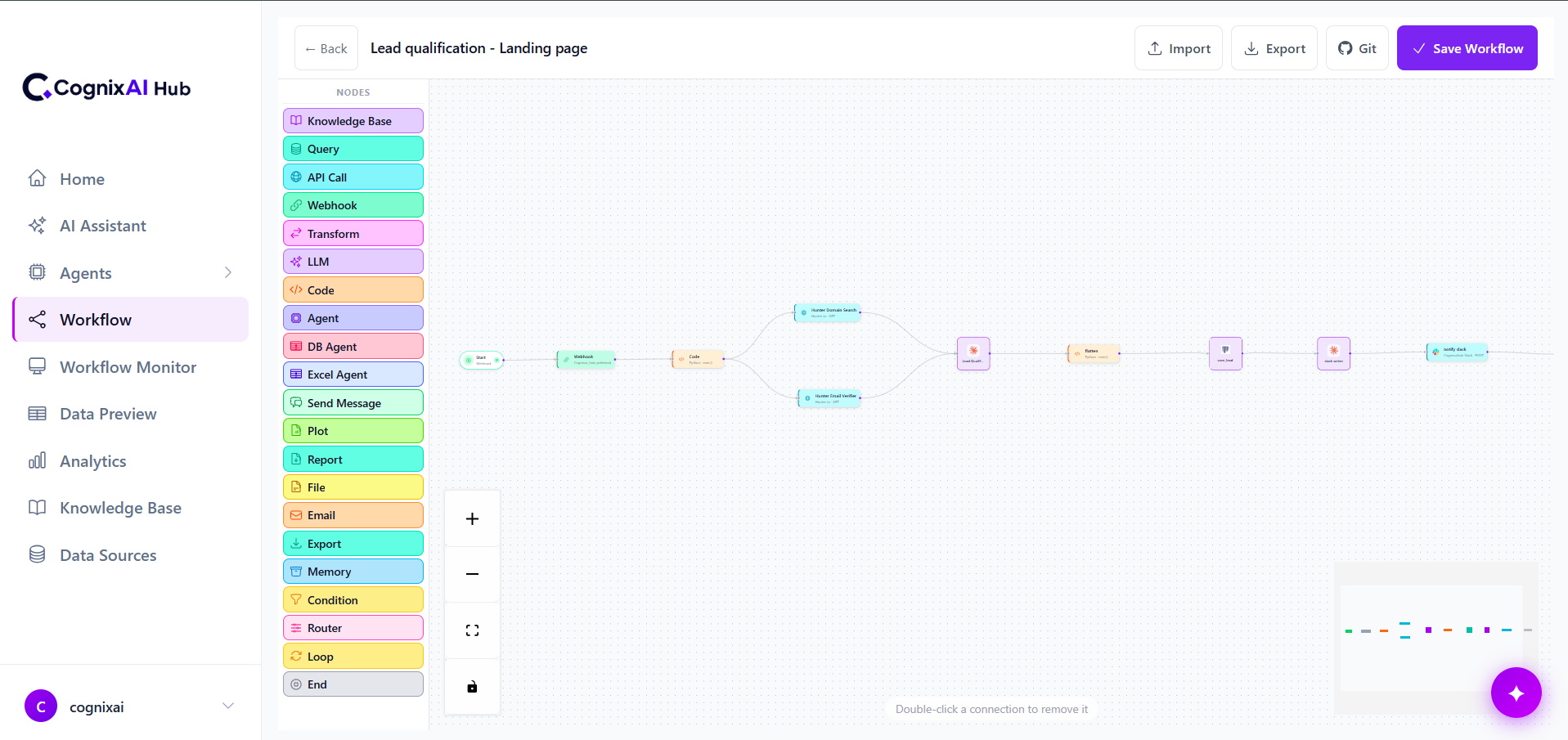
What you can automate
Four areas where your team loses the most time
Marketing automation
Reach new prospects and nurture every lead without doing it by hand.
- Cold email sequences
- WhatsApp outreach
- LinkedIn automation
- Meta lead ads automation
Sales automation
Make sure no lead waits and no follow-up is forgotten.
- Lead scoring and enrichment
- Routing to the right rep
- Follow-up reminders and drafts
- CRM updates
Reporting
Get the numbers to the people who need them, on time, without a spreadsheet.
- Scheduled PDF and Excel reports
- Questions answered from your data
- KPI alerts
- Delivery by email or WhatsApp
Customer support
Answer the everyday questions quickly and pass the hard ones to a person.
- Sort requests by intent and urgency
- Answers from your own documents
- Order and account look-ups
- Escalation with full context
The builder
Everything a real business process needs
Built for processes with messages, documents and exceptions, not only clean data.
Visual canvas
Drag steps onto the canvas and connect them. See the whole process at a glance.
AI inside every workflow
Classify, extract, score, summarise and write replies at any step, using Claude, OpenAI or Gemini.
Knowledge base
Upload policies, price lists and FAQs so replies come from your documents, not guesswork.
Triggers and schedules
Start a workflow from a form, a webhook, a new lead, a message or a set time.
Logic that fits your process
Conditions, routers and loops handle the exceptions real processes have.
Every run on record
See each step of each run, what went in, what came out and where anything failed.
Native integrations
Connect every tool your business runs on
CognixAI Hub integrates natively with databases, REST APIs, AI models, files, webhooks and communication tools, so your workflows always have the data they need.
Databases
PostgreSQL, MySQL, Supabase
REST APIs
Any HTTP/REST endpoint
Webhooks
Real-time event triggers
Files & Docs
PDF, S3, Google Drive
AI Models
Claude, OpenAI, Gemini
Email & Chat
Gmail, Slack, WhatsApp
MCP compatible
Model Context ProtocolConnect any MCP-enabled tool server instantly. CognixAI Hub supports the open Model Context Protocol, so custom tools, internal systems and future integrations plug in without custom engineering.





- Built-in and custom integrations
- MCP-compatible tool servers
- Custom API connectors on request
- New integrations added regularly
Done for you
We build it with you, then keep it running
Tell us how your process works. We connect your tools, build and test the workflows with your real data, launch them, and watch every run afterwards. Your team can also build and change workflows in the builder themselves.
- Workflows designed around your process, not a template
- Connected to your CRM, inbox, WhatsApp and data
- Tested on real data before going live
- Monitored and fixed when something changes
- Improved as your team's needs grow
Works with ClioIQ
Start a workflow from what's said on a sales call
Add CognixAI Workflow to ClioIQ and a conversation can trigger an action: alert a manager when a deal's risk rises, send a follow-up when a call ends, or add a qualified lead to a nurture sequence.
About ClioIQ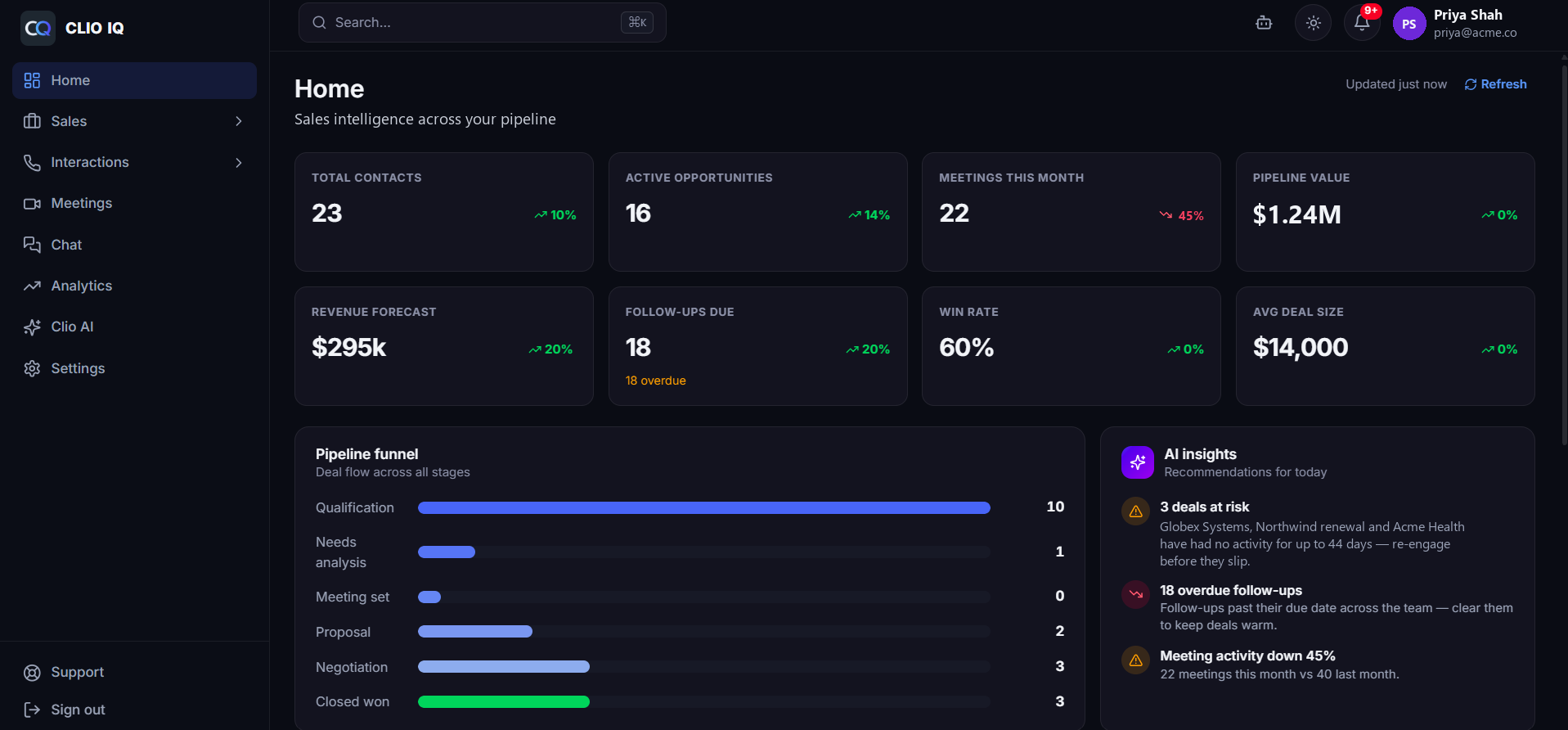
Questions about Workflow
How is this different from Zapier or Make?
Zapier and Make follow fixed if-then rules. CognixAI Workflow puts AI inside the workflow, so a step can read a message, understand what the customer wants and decide what to do next. And we can build and run the workflows for you.
Can you send cold email and WhatsApp messages from our own accounts?
Yes. Workflows send from your own email account and your WhatsApp Business number, so replies come back to you.
Which tools does it connect to?
Your CRM, email, WhatsApp, LinkedIn, Meta lead ads, Slack, Google Sheets, databases such as PostgreSQL and MySQL, and any tool with an API.
How long until our first workflow is live?
A single workflow usually goes live in 2–5 business days. Systems that connect several tools take 1–2 weeks.
Tell us which process to automate first
Most teams start with one workflow — lead follow-up, outreach or a weekly report — and add more once it's running.